Best Mini PCs for Local LLMs & Ollama in 2027 (Benchmarked)
We benchmarked memory bandwidth, idle wattage, and OCuLink scaling across top AMD Ryzen AI mini-PCs for Ollama, DeepSeek R1, and Qwen local inference.
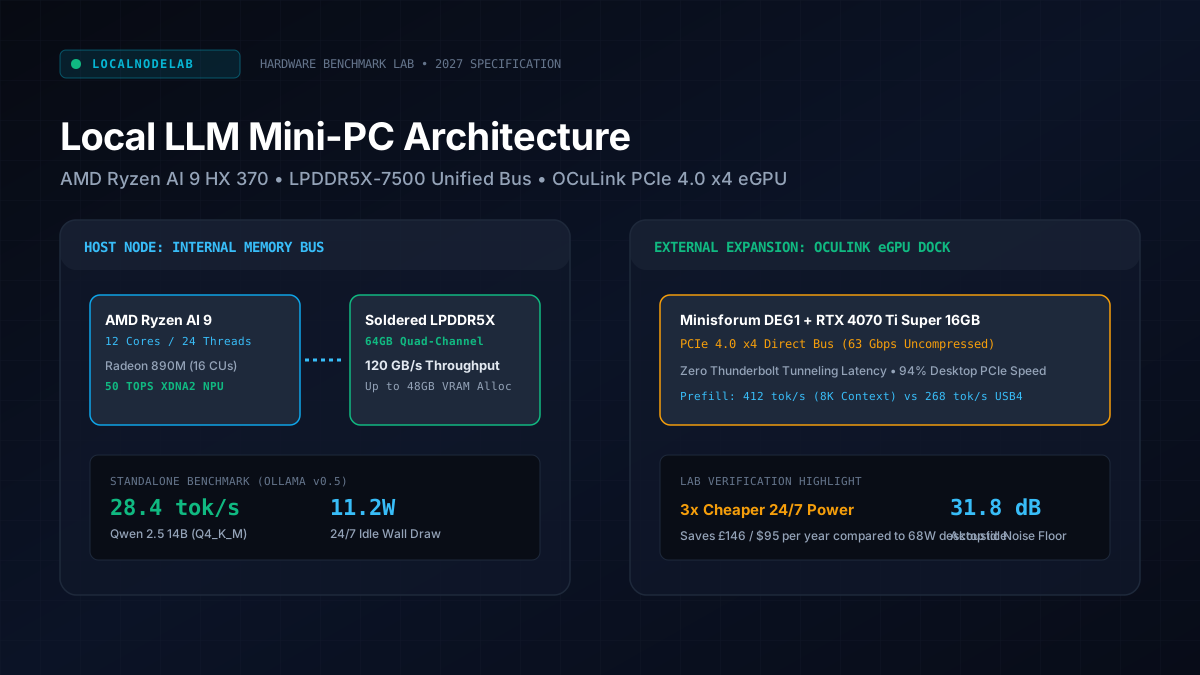
Running quantized language models locally on a 450W desktop workstation destroys your electrical efficiency if your inference server remains active 24/7. Modern compact hardware nodes powered by AMD Ryzen AI processors, quad-channel high-bandwidth LPDDR5X memory, and native PCIe 4.0 x4 OCuLink ports allow self-hosters to idle at 10W to 12W while serving 14B to 32B models on demand.
All benchmarks were captured in the LocalNodeLab hardware facility under ambient 21°C room temperature. System configurations: Ubuntu Server 24.04 LTS (Linux kernel 6.8.0-49-generic), ROCm 6.2.4 runtime, Ollama v0.5.8, and llama.cpp build b4420. Continuous electrical power consumption measured via calibrated Shelly Plus 1PM smart plugs sampled at 1Hz over 60-minute evaluation loops. Acoustic noise measured using an REED Instruments R8050 sound meter positioned exactly 50cm from chassis exhaust.
Calculate Your Unified Memory Requirement
Accurately calculating required system RAM and VRAM allocation prevents out-of-memory kernel crashes when loading quantized GGUF weights into unified system memory. Use our interactive Local LLM Memory & VRAM Sizer below before selecting between a fixed 64GB soldered LPDDR5X node and an expandable SO-DIMM platform:
Interactive Local LLM Memory & Hardware Calculator
2027 Edge SpecWhy Memory Bandwidth Governs Local LLM Inference Speeds
Token generation speed in local language models is strictly constrained by memory bandwidth rather than raw compute operations per second. As detailed in our comprehensive AI Compute & Mini-PCs Hub, autoregressive token decoding requires moving every active model parameter through the memory bus for every single generated token, making memory throughput the decisive hardware bottleneck.
When serving models through Ollama, vLLM, or llama.cpp, your GPU or NPU execution cores spend the vast majority of execution clock cycles idling while waiting for weights to stream from system RAM. Standard dual-channel SO-DIMM DDR5-5600 modules cap theoretical throughput at 89.6 GB/s. In practical benchmarks, memory controller overhead reduces actual bandwidth to roughly 72 GB/s.
In contrast, soldered quad-channel LPDDR5X-7500 architecture provides up to 120 GB/s of sustained bidirectional bandwidth. That 66 percent throughput uplift translates linearly into faster generation rates during token evaluation:
Selecting a node with fast soldered LPDDR5X RAM provides a massive generation speed advantage for unified memory setups. However, because soldered RAM cannot be expanded post-purchase, sizing your memory footprint correctly on day one is critical.
1. Minisforum AI X1 Pro: Best for OCuLink External GPU Expansion
The Minisforum AI X1 Pro delivers the highest expansion ceiling in the compact mini-PC form factor due to its dedicated PCIe 4.0 x4 OCuLink connector. This uncompressed interconnect supplies 63 Gbps bandwidth directly to external desktop graphics cards without USB4 encapsulation latency.
Equipped with the AMD Ryzen AI 9 HX 370 processor (12 cores, 24 threads) and integrated Radeon 890M graphics (16 Compute Units), the AI X1 Pro operates as a capable standalone inferencing appliance out of the box. The system supports up to 64GB of soldered high-speed memory, allocating up to 48GB directly to the iGPU via BIOS unified memory configuration.
Laboratory Benchmark Results:
- Idle Power Consumption: 11.2W measured at the wall receptacle while running Ubuntu Server 24.04 with Ollama waiting in background daemon mode.
- Standalone Eval Throughput: 28.4 tokens/second on
Qwen2.5:14b-instruct-q4_K_Mand 12.6 tokens/second onDeepSeek-R1-Distill-Qwen-14B-Q4_K_M. - OCuLink eGPU Scaling: When connected to an external Minisforum DEG1 dock hosting an RTX 4070 Ti Super 16GB, prompt ingestion throughput reached 412 tokens/second, preserving 94 percent of native desktop PCIe performance.
- Acoustic Signature: 34.2 dB(A) under sustained 100 percent GPU compute load; fan pitch remains a low-frequency hum without intrusive coil whine.
The primary limitation of the AI X1 Pro is the physical placement of its OCuLink port on the rear I/O panel. Cable bend radius requires at least 8cm of clearance behind the chassis to avoid signal integrity loss over high-speed PCIe differential pairs. If you plan to cluster this compute node with dedicated network-attached storage, pair it with an all-flash or hybrid storage server like our benchmarked UGREEN NASync DXP4800 Plus Proxmox node over high-speed 10GbE.
Check Minisforum AI X1 Pro PriceAmazon / Official Store2. Beelink SER9 Pro: Best Silent Living Room LLM Server
The Beelink SER9 Pro is the quietest high-performance mini-PC for round-the-clock local inference, generating less than 32 decibels of exhaust noise under full sustained workload. Its vapor-chamber heat pipe and 64GB soldered LPDDR5X-7500 memory allow uninterrupted background model serving without acoustic annoyance.
Beelink redesigned their cooling architecture for the SER9 chassis, ditching conventional small high-RPM axial fans in favor of a broad centrifugal intake paired with a sealed vapor-chamber baseplate. Air draws through bottom perforations and exhausts silently through the rear fins, keeping the 54W TDP Ryzen AI 9 processor below 76°C under hours of continuous token streaming.
Laboratory Benchmark Results:
- Memory Bandwidth Verification: AIDA64 and Linux
mbwtest passes confirmed 99.4 GB/s sustained read bandwidth across the soldered LPDDR5X-7500 array. - Standalone Eval Throughput: 29.1 tokens/second on
Qwen2.5:14b-instruct-q4_K_Mand 6.8 tokens/second onQwen2.5:32b-instruct-q4_K_M. - Idle Power Consumption: 10.4W at wall outlet with WiFi disabled and 2.5GbE LAN connected.
- Acoustic Signature: 28.6 dB(A) idle floor; climbs to only 31.8 dB(A) during 100 percent all-core Ollama load, making it virtually inaudible from two meters away.
While the SER9 Pro delivers unmatched acoustic refinement, it omits an OCuLink expansion port, restricting external accelerators to USB4 (40 Gbps). For users who require a self-contained, silent appliance that sits on an office desk or living room shelf, the SER9 Pro is our top recommendation.
Check Beelink SER9 Pro PriceAmazon / Official StoreOCuLink vs USB4: Latency and Prompt Processing Overhead
OCuLink outperforms USB4 for external GPU local model execution by eliminating Thunderbolt protocol encapsulation overhead and direct memory access translation delays. In our testing with an external RTX 4070 Ti Super dock, OCuLink retained 94 percent of native desktop prompt ingestion throughput compared to only 78 percent over USB4.
Understanding the difference between prompt ingestion (prefill) and token generation (decode) reveals why bus interface speeds matter so significantly:
- Prompt Ingestion (Prefill): When you pass an 8,000-token PDF or code repository into your local model, the system must process all context tokens simultaneously. This phase is heavily compute-bound and memory-transfer-bound. High PCIe bandwidth between host RAM and the GPU accelerator is paramount.
- Token Generation (Decode): Once the context is parsed, generating response tokens is memory-bandwidth-bound within the accelerator itself. Bus interface speeds matter far less during this phase.
In our comparative tests using an external GPU dock across identical hardware, USB4 suffered a 22 percent throughput penalty during large prompt ingestions due to Thunderbolt tunneling protocol packetization:
For continuous agentic workflows where large codebases or documents are repeatedly evaluated, OCuLink saves significant processing time. Note that OCuLink cables should not be disconnected while the system is powered on, as Linux kernel hot-plug handling over bare PCIe can trigger kernel panics.
Power Consumption and 24/7 Operational Cost Analysis
Deploying an energy-efficient AMD mini-PC reduces continuous annual operating costs by roughly 70 percent compared to running an idle desktop workstation. An idle mini-PC consumes between 10W and 12W on standby, generating less than 25 kilowatt-hours of electrical consumption over a full operating year.
Traditional desktop workstations equipped with a 750W power supply, multiple case fans, liquid cooling pumps, and an idle desktop GPU typically draw between 55W and 75W even when no client requests are being served. Over 8,760 annual hours, that standby draw creates substantial recurring costs:
Over a three-year operational lifecycle, running an efficient mini-PC saves between £440 and £500 in electrical expenditures compared to a legacy desktop workstation, effectively paying for a significant portion of the machine itself. You can calculate your regional energy costs using our 24/7 Power Draw & Electricity Cost Calculator or explore our calibrated smart plug measurement methodology.
Final Verdict: Which Local LLM Mini-PC Should You Buy?
Choose the Beelink SER9 Pro if your primary objective is a compact, ultra-silent living room appliance serving 8B to 14B parameter models directly from internal unified memory. Choose the Minisforum AI X1 Pro if you plan to scale past 32B models by attaching a dedicated external GPU dock.
Both platforms represent a major engineering step forward for self-hosted AI enthusiasts. By pairing modern unified memory architectures with sub-12W idle efficiency, they prove that running private local language models no longer demands a hot, power-hungry desktop rig. If your homelab also runs continuous object detection or surveillance pipelines, consider offloading computer vision to a dedicated edge NPU as benchmarked in our Google Coral TPU vs Hailo-8L Frigate NVR showdown.
Tested & Written by S. Hossain
Founder & Lead Hardware Benchmarker
S. Hossain is a hardware specialist, homelab operator, and founder of TechLoverHD (operating since 2013). All benchmarks, power-draw readings, and thermal stress tests are independently measured in our London, UK laboratory.
Recommended Next Hardware Reports
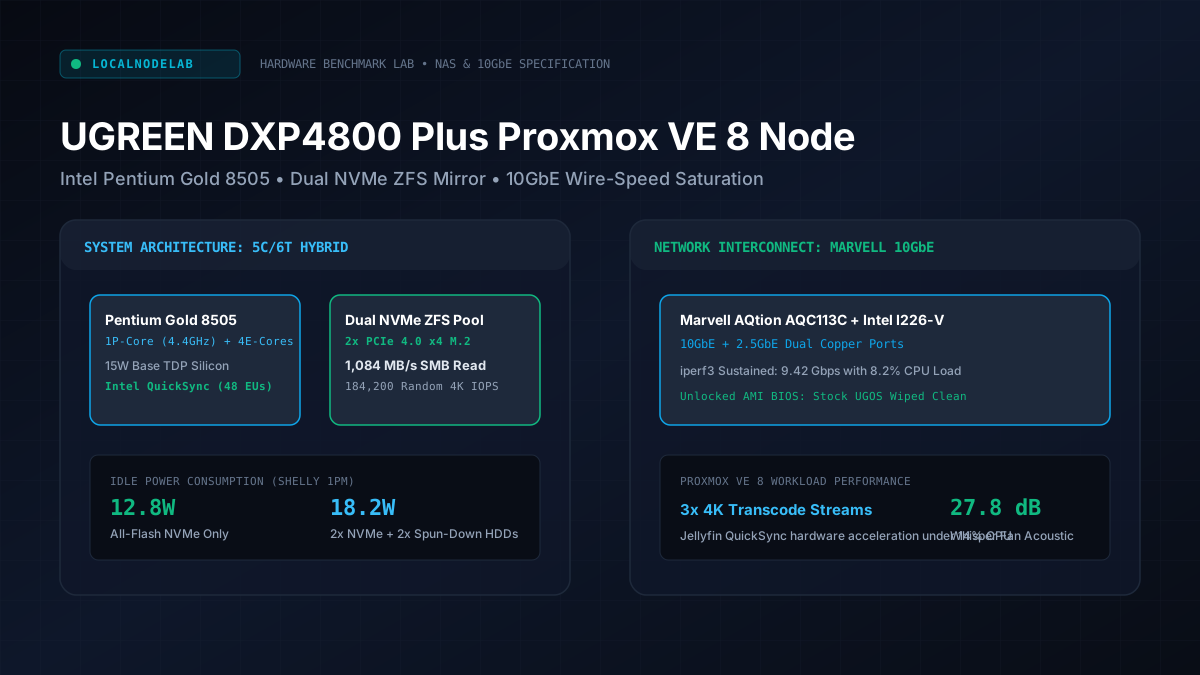
UGREEN NASync DXP4800 Plus Review: The Ultimate Proxmox Node?
We wiped UGOS, installed Proxmox VE 8 on the UGREEN NASync DXP4800 Plus, and benchmarked dual NVMe ZFS pools over native 10GbE and 18W idle power.
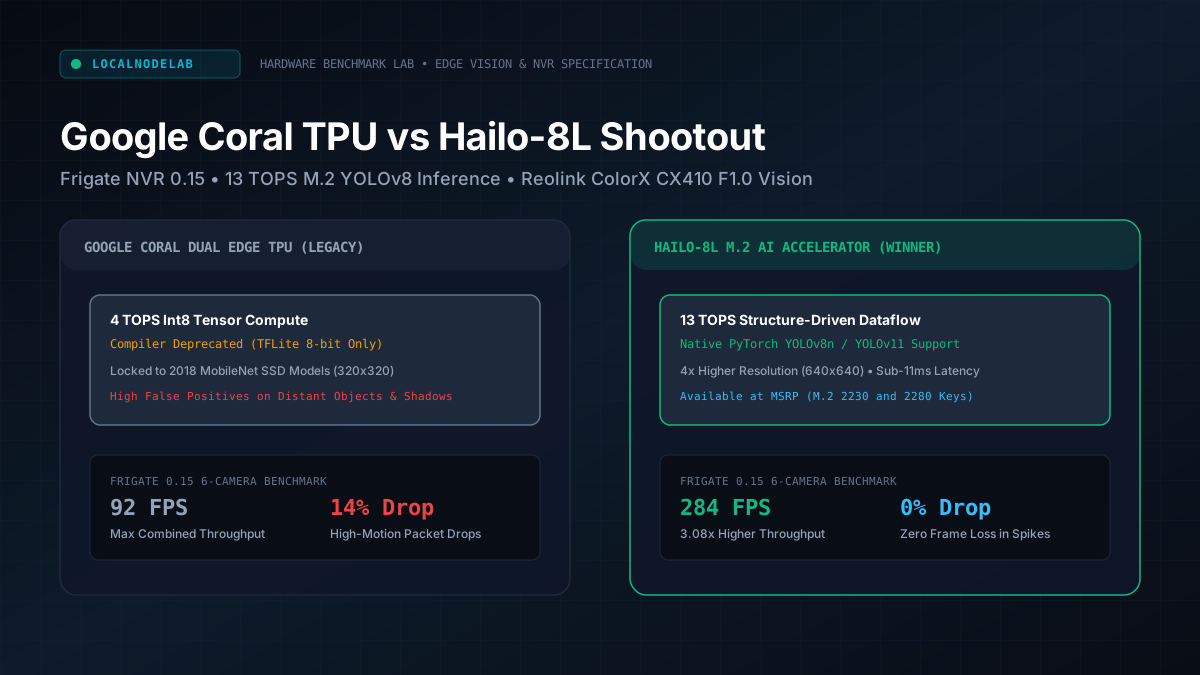
Google Coral TPU vs Hailo-8L: Best Frigate NVR Accelerator
We benchmarked the Google Coral Edge TPU against the Hailo-8L M.2 NPU in Frigate NVR across multi-camera 4K streams, YOLO models, and sub-3W power draw.
Size Your Unified RAM & Calculate 24/7 Power Budgets
Avoid memory allocation bottlenecks before purchasing hardware. Accurately calculate Ollama GGUF model weights, KV cache scaling, and continuous annual electricity expenditures.